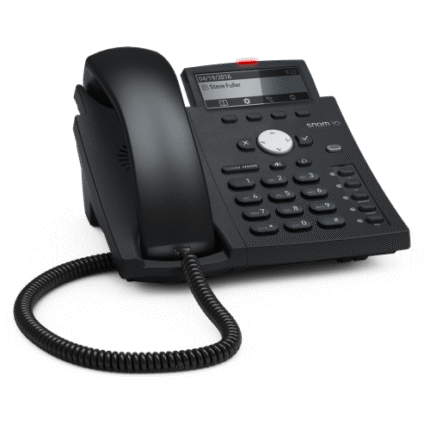

Using a standard corded telephone set is straightforward, though certain features vary by model. Here is a general guide on how to operate one effectively.
Making and Receiving Calls
-
To Make a Call: Lift the handset from the cradle. Listen for a steady dial tone. Once you hear it, use the keypad to dial the phone number.
-
To Answer a Call: When the phone rings, simply lift the handset.
-
To End a Call: Place the handset back onto the cradle firmly. This “hangs up” the line so you can receive the next call.
Common Features and Controls
Most modern telephone sets include several functional buttons to manage your conversation:
| Feature | Function |
| Redial | Automatically dials the last number you called. |
| Flash | Used to switch between calls if you have “Call Waiting” or to transfer calls on a PBX system. |
| Mute | Allows you to hear the caller, but prevents them from hearing you. |
| Hold | Places the caller on standby. Depending on the model, you may need to press “Flash” or a dedicated “Hold” button. |
| Volume Control | Usually a slider or button on the side or base to adjust the ringer loudness or the handset speaker. |
Basic Setup and Maintenance
-
Connection: Ensure the line cord (the thick, straight cord) is plugged into the wall jack and the “Line” port on the phone. Ensure the coiled cord is securely connected to both the handset and the “Handset” port on the base.
-
Placement: Keep the set on a flat, stable surface. If the phone is wall-mountable, ensure the mounting slots are aligned with the wall bracket.
-
Cleaning: Use a slightly damp cloth to wipe the handset and keypad. Avoid spraying liquids directly into the microphone or speaker holes.
Troubleshooting Tips
-
No Dial Tone: Check that all cables are pushed in until they “click.” If it still doesn’t work, try a different wall jack or a different cord.
-
Cannot Hear Caller: Check the volume settings on the base or handset. Ensure the “Mute” function is not active.
-
Static on Line: This is often caused by a loose connection or a faulty coiled cord. Try swapping the handset cord to see if the clarity improves.